Shared browser interface
One browser interface with profile-specific menus and workflows.
Demonstrated in a local development build
Sumverk
Independent product development · In development
Sumverk is an accounting platform with a shared core and tailored workflows for self-employed delivery businesses, independent salons and medical practices.
Sumverk brings invoicing, customers, quotes and credit notes together with expenses, receipts, journals, balances and period controls. The core also contains bank-file import and reconciliation, reporting, month and year close, backup and handoff tools. General ENK and AS configurations extend into company work such as payroll and shareholders; the visible features depend on the chosen profile.
A salon’s till report and a courier’s platform payout need different checks. I work on those checks and the calculation and posting rules behind them, while keeping common tasks in the shared accounting core.
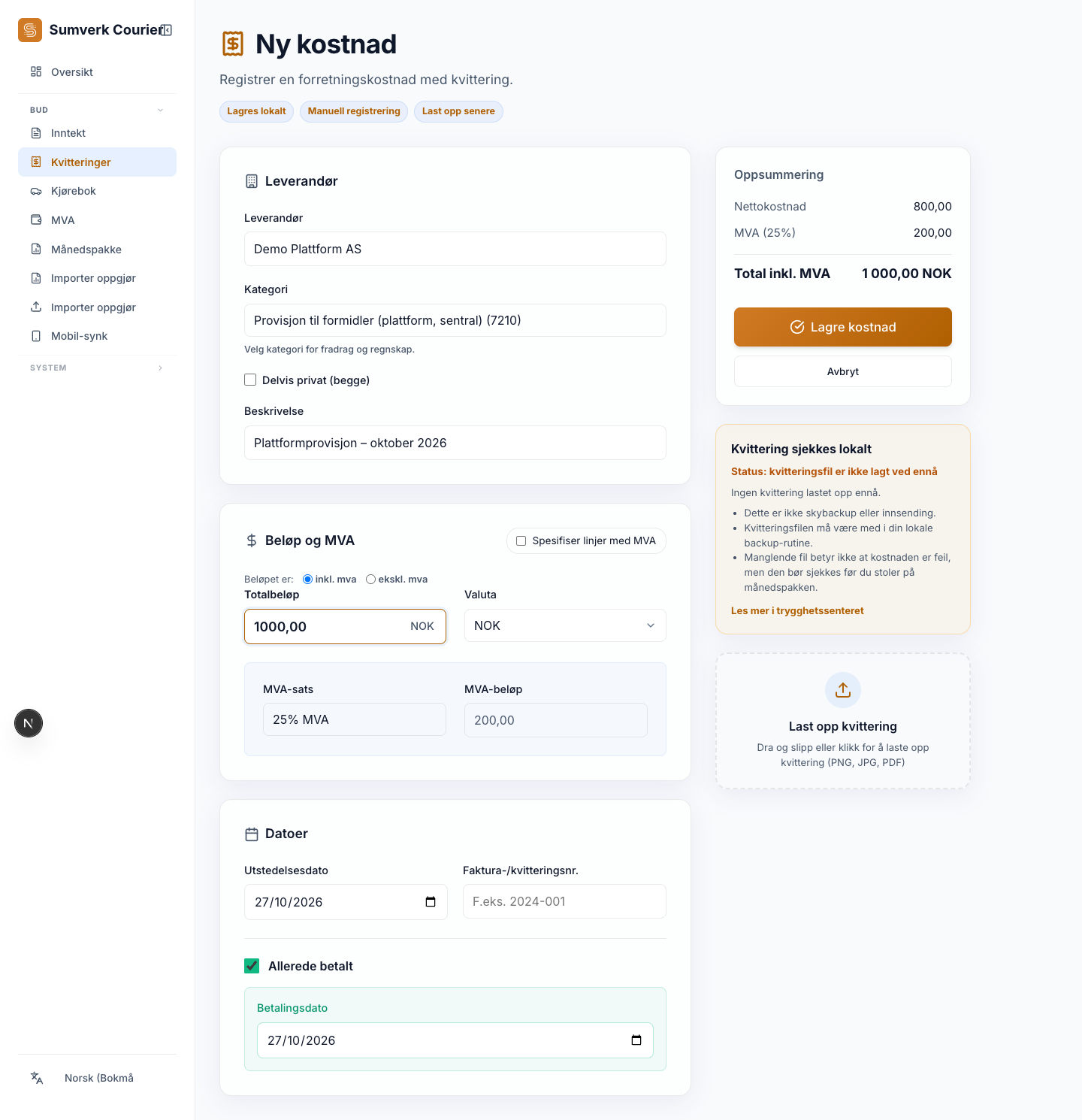
Explore Salon intake and shared expense entry in Courier. These are separate examples within the accounting product.
Recorded development screens · demonstration data
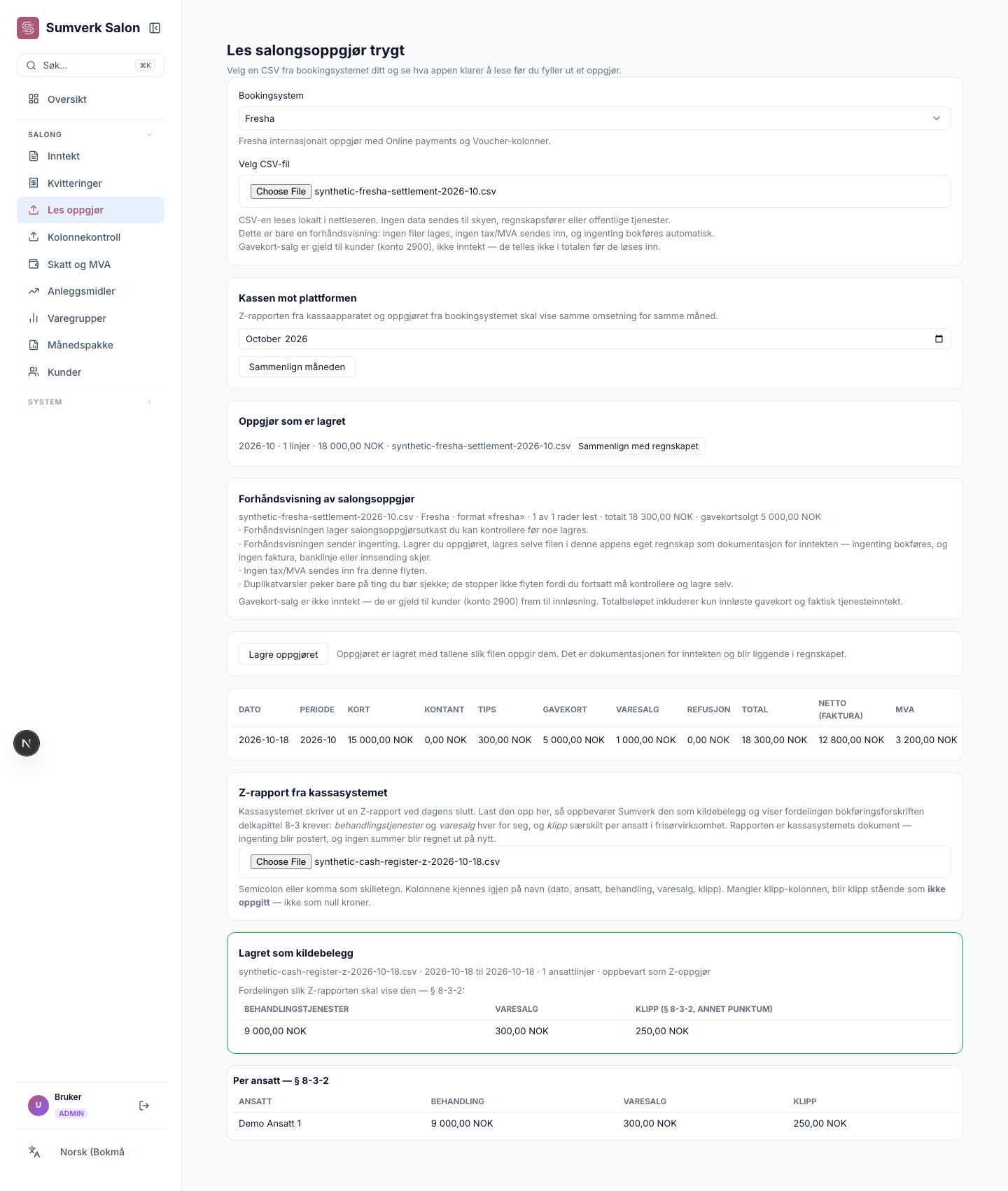
Review the booking-system export before keeping it as a source record.
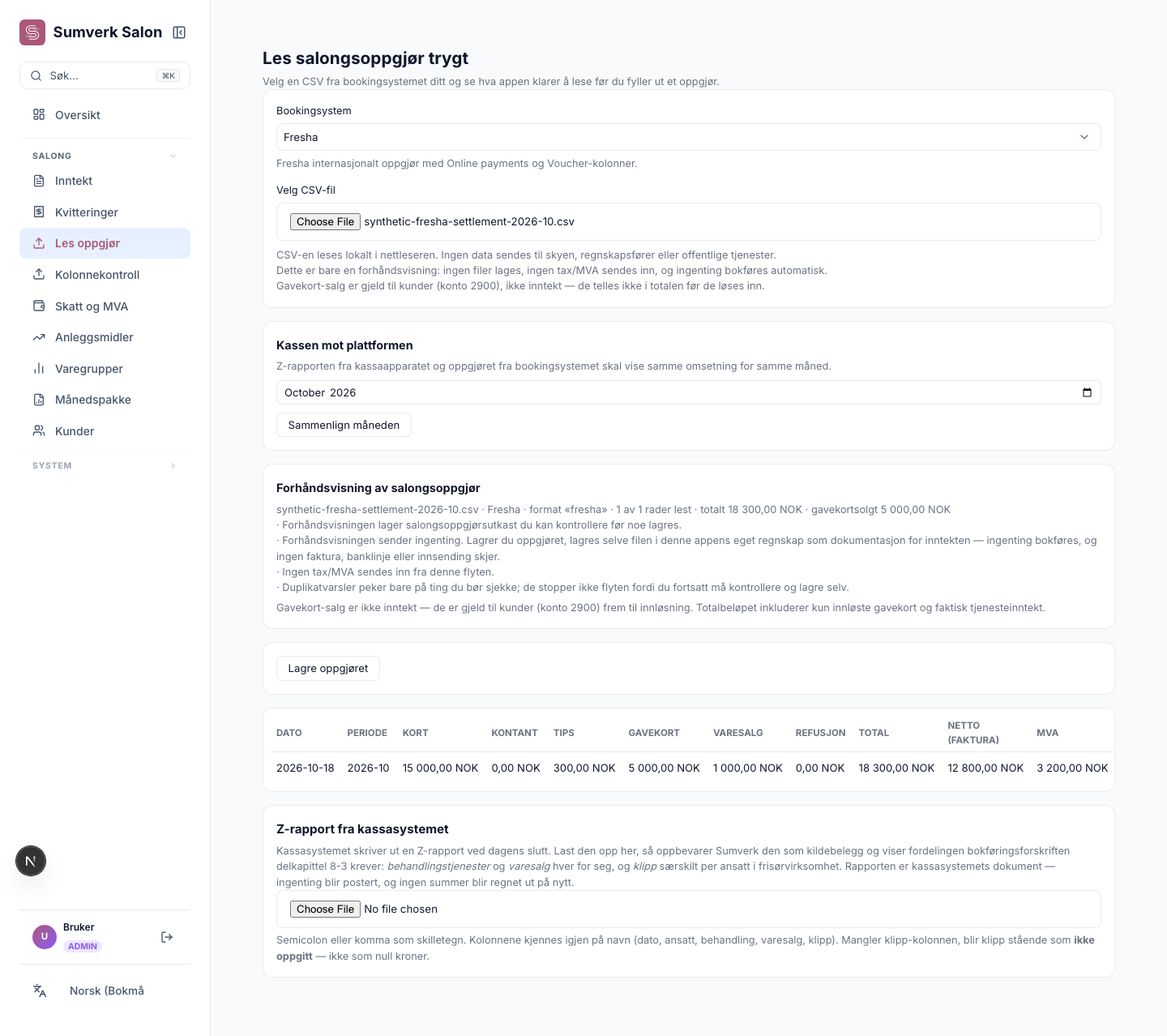
Keep service and retail totals distinct. Reconciliation and ledger posting are later steps.
The Courier profile uses the shared expense form. This capture shows the form before saving.
Screenshots show the development build using demonstration data.
One browser interface with profile-specific menus and workflows.
Demonstrated in a local development build
Designed to keep the application and its database on the user’s computer.
Tauri packaging code is present; packaged app not tested
Profile-specific capture forms and a file handoff for review in the desktop application.
React Native/Expo client code; not tested on a phone
Review and handoff/export options vary by profile.
Optional collaboration; no separate accountant app established
Courier, Salon and Lege organise different business information around a shared accounting core. The profile preserves the distinctions that a bank deposit or a total alone cannot explain.
| Profile | Business information | Why retain the distinction? |
|---|---|---|
| Courier | Payout period, delivery income, platform commission and tips or bonuses. Conceptual settlement fields: gross amount, fees and amount transferred. | Compare the settlement information with business income and charges; the amount received alone does not describe all of the activity. These fields explain the distinction; this is not a demonstrated settlement import. |
| Salon | Services, retail sales, payment methods and gift-card sales or redemptions. | Keep what was sold, how it was paid for and gift-card activity distinct. A gift-card sale and its later use are different events; not every receipt is the same kind of revenue. |
| Lege | The patient’s share and the state payer’s share of a consultation fee. | Allocate the fee between payers for practice accounting. This example concerns neither clinical records nor a live HELFO reimbursement connection. |
The structured information can then support shared financial controls, accounting functions and applicable reports. Industry-specific interpretation belongs before those shared functions.
The screenshots show Salon source data being imported and saved for review. Posting, reconciliation and closing the accounts were not demonstrated in that workflow.
Different business inputs, shared financial controls.
Different businesses start their accounts from different facts. A delivery business receives platform payouts and records commissions and mileage. A salon reconciles booking or till records, services, retail and gift cards. A medical practice divides consultation income between patient and public payer. These differences shape the screens and checks around the shared accounting rules.
| Mode | Current status |
|---|---|
| Local browser | Selected workflows ran locally with SQLite data. Internet-dependent features still require a connection. |
| Desktop build | Tauri desktop code and packaging targets exist. A packaged native launch has not been confirmed. |
| Phone capture | React Native/Expo source covers phone capture and file handoff. Native execution has not been verified. |
| Cloud direction | Planned direction; no released hosted or sync service. |
| In-product AI assistance | Draft tools include owner review. Optional local model execution is not shown in these examples. |
The Salon example follows two sources of sales information. A sample Fresha export is read into a settlement preview and saved for review. A cash-register Z-report is then stored with separate service, retail and haircut totals.
Saving these source records does not post the ledger or finish reconciliation. That separation lets the owner inspect the facts before the next accounting step. The Courier expense form illustrates a different entry point into the same core, while Lege has its own consultation and payer-split workflow.
The local browser demonstration required dependency and launch adjustments in an isolated copy. Draft tools retain owner review; optional local model execution was not demonstrated.
Employment contact · Oslo, Norway
For a conversation about a relevant role, contact me by email or LinkedIn.